View Additional Course Sections
Summary
How to find other sections, if a course on your plan in Self-Service is full or waitlisted
How to Register Online
Course plans are available to view in Self-Service. A full registration tutorial for curriculum (college credit) students can be found in a separate article linked below.
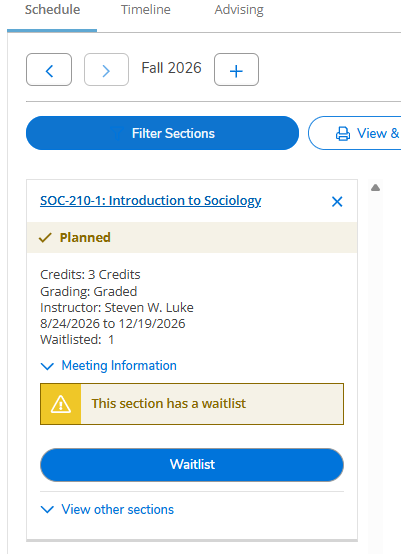
If Your Planned Course is Waitlisted
If a course section on your plan has a waitlist, it is possible to add yourself to that waitlist and also register for another available section. To check for available sections, select "View other sections" under the "Waitlist" button.
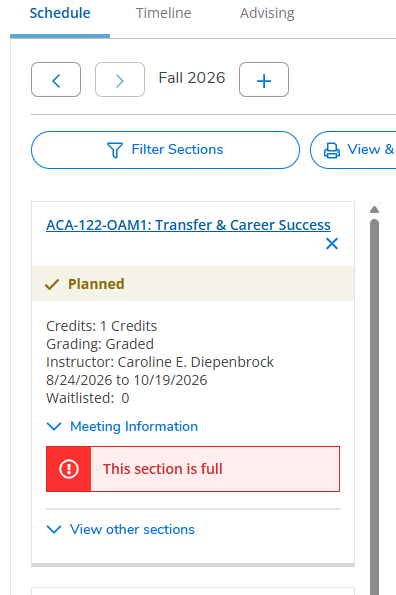
If Your Planned Course is Full
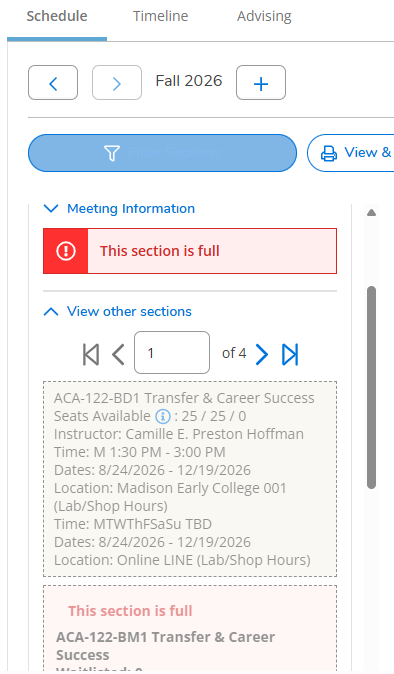
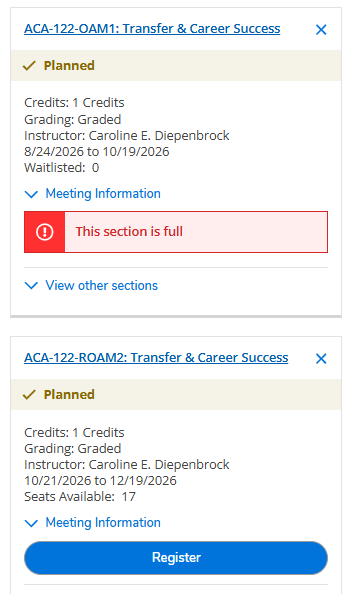
If a course section on your plan is full, you may select "View other sections" under "This section is full" to check for available sections.
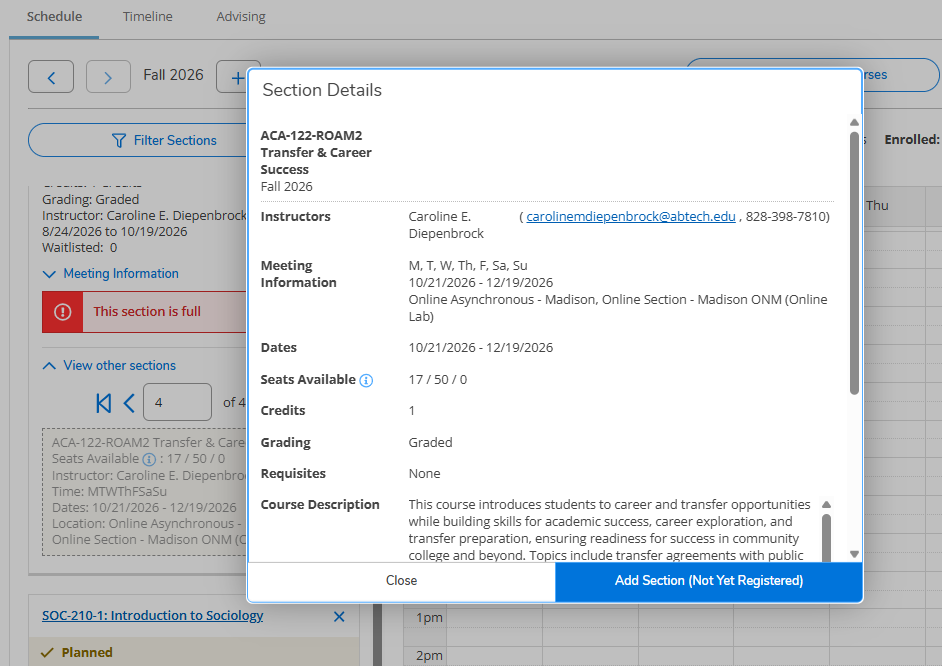
Add a Section to Your Plan
Click the section to see additional information. To add the new section to your plan, select "Add Section (Not Yet Registered)". There may be multiple pages of sections. Click the arrow at the top of the list of sections to see the next page.
Finalize Registration
If you add a new section to your plan, remember to finalize your registration by selecting the "Register" button.
Removing Courses
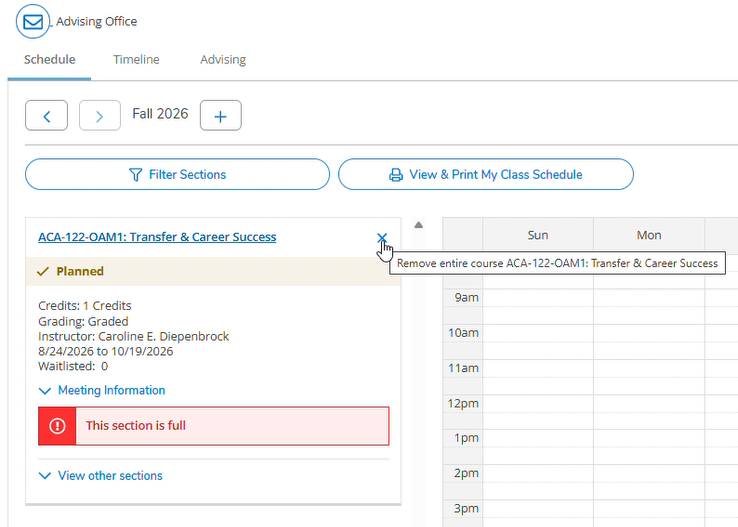
To remove the original section from your plan, click the "x" in the right corner.
Need Help?
If there are no other sections available, please contact your advisor for guidance. For help with registering for classes in Self-Service, contact the Information Center at (828) 398-7900 or info@abtech.edu. Be sure to send the email from your student email account.
Virtual Enrollment Lab Appointments are available to provide assistance. Walk-in services are also available in the K. Ray Bailey Student Services Building (#5 on our campus map). No appointment is needed.